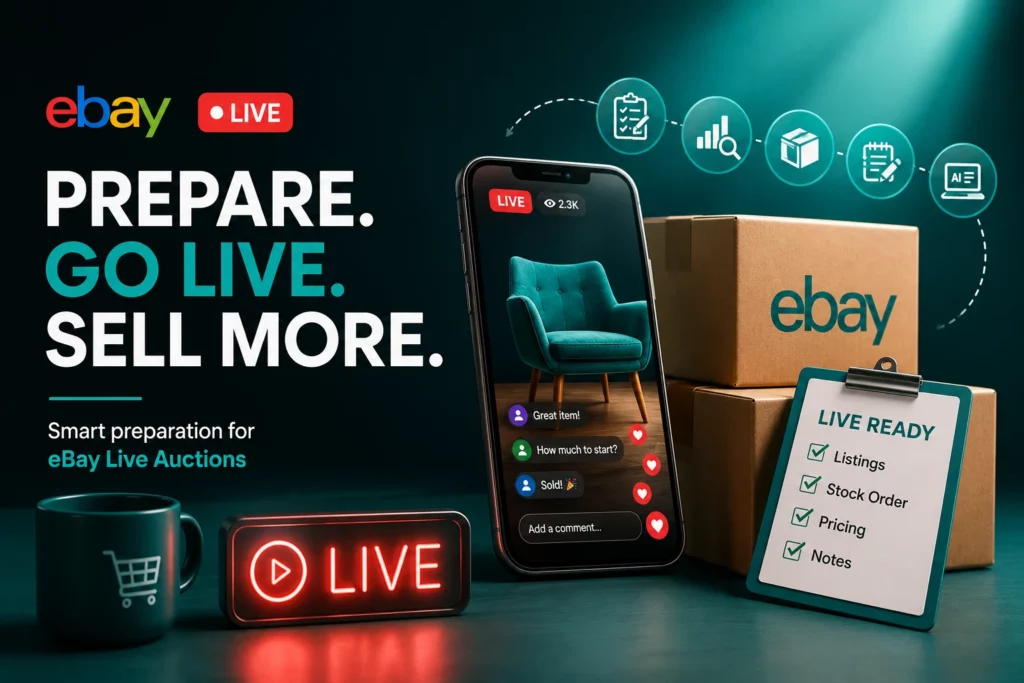
eBay Live UK gives sellers a new way to sell through live video and auction-style events. But for sellers, the opportunity also comes with extra preparation.
This guide is written for UK eBay sellers who want to understand what to prepare before using eBay Live. It covers how live auctions work, which sellers may benefit, how to prepare listings and stock, and what common issues sellers face.
How eBay Live Selling Works
eBay live selling brings together video, product presentation, chat, and buying activity.
According to eBay UK’s livestream shopping help page, anyone can view eBay Live events on mobile and desktop devices through the eBay Live page or in the eBay app. However, buyers need an eBay account if they want to bid or buy.
The eBay Live FAQ also describes eBay Live as an interactive livestream shopping experience where buyers can shop live events hosted by sellers, brands, and influencers.
During a live event, available items are shown in a carousel at the bottom of the screen. Buyers can watch the stream, view products, ask questions through chat, and bid or buy.
Why eBay Live Auctions Matter for UK Sellers
eBay live auctions can create urgency. Unlike a normal auction that may run for days, a live auction puts the product in front of buyers while they are watching and ready to act.
According to eBay UK’s livestream shopping help page, eBay Live auctions are usually under 2 minutes long, although the seller can choose to extend the auction slightly to give buyers more time to bid.
For sellers in competitive categories, this gives another way to stand out beyond price.
For example, a seller auctioning a vintage designer bag can show the corners, zip, stitching, lining, logo, strap condition, and any signs of wear during the live stream. This helps buyers judge the item more clearly than photos alone while the auction is still active.
Who Can Benefit from eBay Live UK?
eBay Live UK is most useful for sellers whose products need to be seen, explained, or demonstrated before buyers make a decision. It may suit sellers with visual, collectible, refurbished, branded, limited, or condition-sensitive products.
For example, a seller offering a refurbished camera can show the body condition, lens, screen, buttons, included accessories, and signs of use during the live stream.
It may also work well for sellers with repeat buyers, an active eBay shop, or an audience they can invite to a live event. If a live demonstration can make the product easier to understand, eBay Live may be worth exploring.
Before You Start Selling on eBay Live
Many sellers search for how to start selling on eBay Live, but the first step is preparation. Before planning a live event, sellers should check their eBay account setup, payout details, postage settings, return settings, and order process. They should also choose products that are suitable for live presentation and make sure the listings are ready before the event starts.
Once the basics are in place, sellers can plan the product order, starting prices, talking points, and live setup. This helps the event feel organised rather than rushed.
Important note: eBay Live access and features may change. UK sellers should always check the latest guidance on eBay UK’s eBay Live help page before planning a live selling event.
How to Prepare Listings and Stock for eBay Live Auctions
Preparing for eBay live auctions starts before the live event. Buyers may still check the listing before they bid or buy, so each product page should be clear, accurate, and ready.
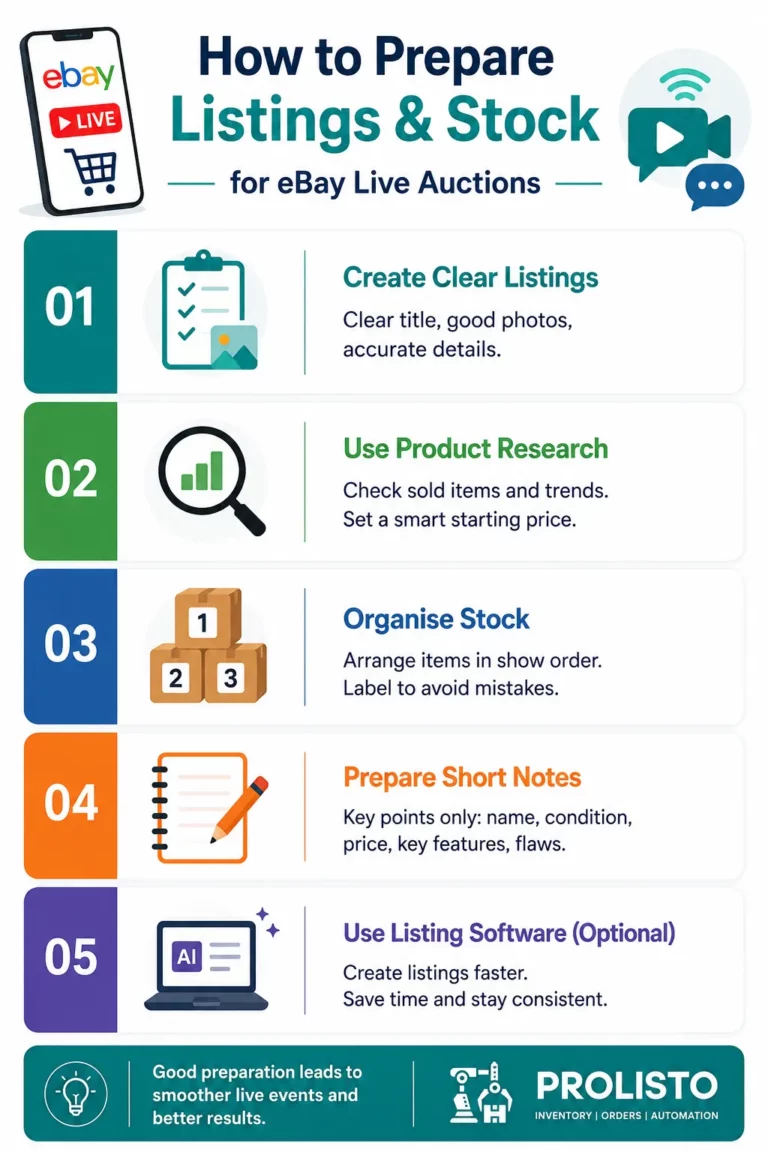
1. Create Clear Listings Before the Event
Each listing should explain the product before the live stream starts. The live event should add more detail, not cover missing information.
A strong listing should include a clear title, correct category, good photos, accurate item specifics, honest condition notes, postage details, and return information.
For example, if a seller is preparing a used pair of trainers for a live auction, the listing should already include the size, brand, model, colour, condition, postage cost, and whether the original box is included. During the live event, the seller can then show the soles, labels, marks, and box condition in more detail.
2. Use Product Research Before Pricing
Sellers should avoid guessing starting prices. According to eBay UK Product Research, Product Research uses recent eBay supply, demand, and pricing data to help sellers understand what to sell, when to sell, and at what price. It can help sellers review price trends and real-world sales data before choosing a starting price.
For example, if a seller wants to auction a collectible card, they can check similar sold items, current demand, and recent price trends before deciding the starting price. This helps sellers create interest while still protecting profit.
3. Organise Stock in the Order It Will Be Shown
The seller should know where every item is before the event starts. Before going live, check each product, confirm the listing, and place items in the order they will be shown. This avoids delays, wrong-item mistakes, and confusion during the live stream.
For example, if a seller plans to show 20 items, they can label them as Item 1, Item 2, Item 3, and so on. Each label should match the listing reference or product note. This makes it easier to present products smoothly and pack the right item after the event.
4. Prepare Short Product Notes for the Live Stream
Even if the listing is complete, sellers may still need short notes during the live event. These notes are not meant to replace the listing. They help the seller present the item clearly without having to read the full product page while live.
The note should only include the details the seller needs to mention on camera, such as the product name, condition, starting price, key selling point, and any flaw that should be shown clearly.
For example, a note for a watch could say: silver watch, working condition, light scratches on strap, no original box, start at £30, show clasp and dial close-up.
This helps the seller stay focused, keep the event moving, and avoid missing important details while buyers are watching.
Optional: Use eBay Listing Software UK to Save Time
This step is not mandatory, but it can help sellers who need to prepare many products before a live event. Before eBay live auctions, sellers often need to create or update several listings at once. Doing this manually can take time, especially for sellers with large or fast-moving inventory.
This is where eBay listing software UK can support the preparation process. It can help sellers organise product data, create listings faster, keep information consistent, and reduce repetitive listing work.
For example, a seller preparing 40 products for a live event may need to check each item, add listing details, set prices, and organise stock before going live. A tool like Prolisto’s free AI eBay listing generator can help make this preparation easier by generating eBay listing titles, item specifics, and SEO-friendly descriptions from product images for sellers to review before listing.
With better listing preparation, sellers can spend more time focusing on product presentation, buyer questions, and order handling during the live event.
Common Issues Sellers May Face When Using eBay Live
eBay Live can help sellers create a more interactive selling experience. But it can also bring extra pressure. Sellers may need to manage item availability, bidding activity, buyer questions, stock movement, and order accuracy during a live event.
Some of the issues below have been reported by eBay Live users
1. Items Selling Outside the Live Event
Some sellers have reported that items prepared for a live event may still sell before the event starts or outside the intended live auction window. This can cause confusion if the seller expected those items to be live-only. It may also affect how the order is treated, especially if the sale is processed as a normal eBay purchase.
To reduce this risk, sellers should check item status before the event begins and keep a simple record of live-event items, including listing reference, event time, availability status, and order number after sale.
2. Fee Confusion on Live-Only Sales
Some sellers have reported confusion around Final Value Fees (FVF) when an item planned for an eBay Live event sells outside the live auction.
For example, a seller may prepare an item for a live-only sale. But if the item sells before the event or outside the live stream, eBay may treat it as a normal marketplace sale. In that case, standard Final Value Fees may apply.
To avoid confusion, sellers should check item availability before the event and keep records such as order numbers, screenshots, listing history, event timing, and any messages from eBay support.
3. Live Auction Replay Issues
eBay UK explains that buyers may receive Video Receipts for eBay Live purchases, which let them revisit the moment their item was shown on screen during the livestream. eBay also says Video Receipts are available for up to 180 days, but in some cases the replay may have been removed. Sellers should therefore avoid relying only on the live video as proof of product details
4. Buyers Unable to Bid or Buy
Some buyers may have trouble bidding or buying during an eBay Live auction. This could be due to account settings, payment setup, app issues, browser problems, connection issues, or bidding restrictions.
The eBay UK community discussion on live auction bidding shows that bidding problems can be a topic among eBay users, but forum discussions should be treated as user-reported experience, not official eBay policy.
eBay UK says buyers need an eBay account to bid or buy during eBay Live. It also says that if a buyer wins an auction, payment is processed automatically using their default payment method. If payment fails, the buyer may be prompted to check out immediately.
5. Unclear Shipping Records
Live auctions may not always make it clear what was shown, sold, and shipped, especially when several similar items are included in one event.
Sellers should keep their own records for each sold item. These can include the listing title, item number, order number, condition note, and any key details mentioned during the live stream. For higher-value or similar-looking items, sellers may also take a packing photo before dispatch for their own records.
Issue | What sellers should do |
Items selling outside the live event | Check listing status before going live and keep event records. |
Fee confusion on live-only sales | Save order numbers, screenshots, listing history, and support messages. |
Replay or Video Receipt issues | Keep product details in the listing, not only in the live stream. |
Buyers unable to bid or buy | Remind buyers to sign in, check payment details, and join early. |
Missing or mixed-up items | Label products and match each order to the correct item before packing. |
Delivery and combined postage questions | Make postage, tracking, dispatch time, and combined postage clear. |
Stream or app problems | Remind buyers to use a strong connection and the latest eBay app. |
Final Thoughts
eBay Live UK is still an emerging opportunity, but it points to where online selling is heading: more visual, more interactive, and more immediate.
For UK sellers, the real value is not just the live stream itself. It is the chance to make products easier to understand and help buyers make decisions with more confidence. The sellers who benefit most will be the ones who prepare well before the event. Clear listings, organised stock, realistic pricing, and smooth order handling will matter.
Used in the right way, eBay Live can become more than a selling feature, for sellers who want to stand out in competitive categories.
FAQs
What is eBay Live UK?
eBay Live UK is eBay’s livestream shopping experience. Buyers can watch live events, interact during the stream, bid on auction items, and purchase products through eBay.
How does eBay live selling work?
eBay live selling allows sellers or hosts to present products through a live video stream. Buyers can watch the item being shown, ask questions in chat, and bid or buy depending on the event format.
What are eBay live auctions?
eBay live auctions are auction-style sales that happen during a live stream. Buyers can watch the product being presented in real time and place bids if the event includes auction items.
How to start selling on eBay Live?
To understand how to start selling on eBay Live, sellers should first prepare their seller account, listings, stock, pricing, postage settings, and live event plan. They should also check eBay’s latest official guidance because access and features may change.
Can eBay listing software UK help with live auctions?
Yes. eBay listing software UK can help sellers prepare listings, organise product data, reduce manual listing work, and get products ready before live auction events. Tools like Prolisto can support the preparation stage before sellers go live.