

For many e-commerce managers and small business owners across the UK, Amazon represents a vital channel for sales and growth. However, the journey can sometimes hit an unexpected hurdle: an Amazon seller account deactivated notification. This can be a deeply unsettling experience, cutting off your income stream and creating significant operational challenges. Understanding why your account might be deactivated and, crucially, how to effectively appeal and reactivate Amazon seller account is essential for any online seller.
This comprehensive guide will walk you through the various reasons for deactivation, the steps to identify the specific issue, and a detailed process for preparing and submitting a successful appeal. We’ll also provide valuable insights on how to prevent future deactivations, helping you maintain a healthy and thriving Amazon business in the long run. You’ll learn how to leverage seller support on Amazon and understand the role of amazon seller account customer service in your journey.
Overview of Amazon Seller Account Deactivation
When Amazon deactivates a seller account, it means your ability to sell on the platform is temporarily or, in severe cases, permanently removed. Your product listings will become inactive, and funds may be withheld. Amazon’s primary objective with deactivations is to protect its customers and maintain the integrity of its marketplace. This means strict adherence to their policies and performance standards is paramount. While often used interchangeably, “suspension” typically implies a temporary hold with a clearer path to resolution, whereas “deactivation” can signify a more severe violation requiring a comprehensive appeal. Regardless of the term, the core process for reinstatement often involves a well-structured Plan of Action.
Common Reasons for Account Deactivation: Why Was My Amazon Seller Account Deactivated?
Understanding why was my Amazon seller account deactivated is the first step towards resolution. Amazon’s reasons often fall into two main categories: policy violations and performance metric declines.
Policy Violations
Amazon has a detailed set of rules designed to ensure a fair and safe shopping experience. Violating these rules can lead to swift deactivation.
Intellectual Property Complaints
What are Intellectual Property (IP) complaints? This is a common trigger. It occurs when a rights owner (e.g., a brand or manufacturer) reports that you are selling their product without proper authorisation, infringing on their copyright, trademark, or patent. This includes using copyrighted images or text from other listings.
Inauthentic or Counterfeit Products
Why is selling inauthentic products a serious issue? Selling products that are not genuine, are misrepresented, or are found to be counterfeit is a serious offense. Amazon has zero tolerance for fake goods, and even a single complaint can lead to deactivation.
Unauthorized Selling
What does Amazon consider “unauthorized selling”? This primarily refers to operating multiple Seller Central accounts without Amazon’s express permission. Generally, sellers are only permitted one account. It can also refer to selling products you are not authorised to sell within a specific brand or category.
Prohibited Content/Restricted Products
Are there products I can’t sell on Amazon? Yes, Amazon has a list of products that cannot be sold on its platform (e.g., certain types of medical devices, specific chemicals, or unapproved electronics). Attempting to list or sell these items will result in deactivation.
Performance Metrics Decline
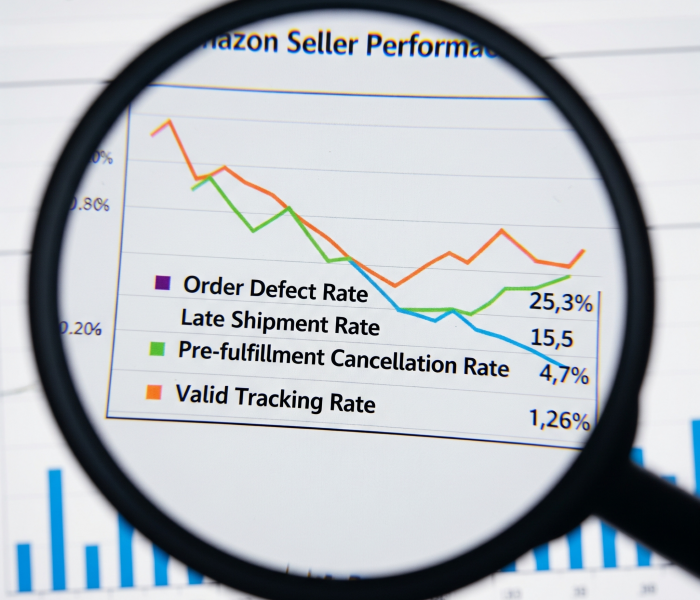
Amazon closely monitors seller performance to ensure customers receive a high standard of service. Consistently failing to meet these targets can result in deactivation.
Order Defect Rate (ODR)
What is the Order Defect Rate (ODR) and why is it important? This is a critical metric, encompassing negative feedback, A-to-z Guarantee claims (when a customer claims they didn’t receive an item or it was significantly different from described), and service chargebacks. Amazon expects ODR to be below 1%. A high ODR directly impacts customer trust and can lead to deactivation.
Late Shipment Rate (H3)
How does late shipping affect my account? This measures the percentage of orders shipped after the expected ship date. High late shipment rates lead to poor customer experience and can trigger deactivation, as customers expect timely delivery. optimizing your order management and shipping processes is paramount to avoiding late shipments.”
Pre-fulfilment Cancellation Rate
What if I have to cancel an order before shipping? If you, as the seller, cancel too many orders before shipping, it indicates poor inventory management or inability to fulfil orders, leading to customer dissatisfaction. This metric is closely watched by Amazon.
Valid Tracking Rate
Why do I need to provide valid tracking numbers? Failing to provide valid tracking numbers for a certain percentage of your shipped orders is a red flag. This is crucial for customer visibility, allows them to track their delivery, and helps Amazon monitor delivery performance.
Customer Service Issues
How does customer service impact my Amazon account? While related to ODR, consistent patterns of unaddressed customer messages, unresolved disputes, or poor communication can signal a failure to provide adequate Amazon seller account customer service. Prompt and helpful responses are vital for keeping your account health
How to Identify the Reason for Deactivation
Knowing the precise reason for deactivation is paramount for a successful appeal.
Checking Email Notifications
Where will Amazon tell me why my account was deactivated? Amazon will almost always send an email to the primary email address associated with your Seller Central account. This email will typically state the specific reason for deactivation, often citing the policy or performance metric that was violated. Read this email very carefully, noting any specific ASINs, order IDs, or dates mentioned.
Reviewing Amazon Seller Central Alerts
How do I find deactivation alerts in Seller Central? Your Amazon Seller Central Account Health Dashboard is your central hub for performance warnings and notifications.
- Log in to Seller Central: Even if your account is deactivated, you should still be able to log in to access performance notifications.
- Navigate to “Performance” > “Account Health”: Here you will see a summary of your account’s health, including any policy violations or performance issues.
- Check “Performance Notifications”: This section contains a detailed history of all warnings, suspensions, and deactivation notices from Amazon. Locate the deactivation notice and review its contents thoroughly. It often provides more detail than the initial email.
Steps to Reactivate Your Amazon Seller Account
Once you understand the reason, the path to reactivating your account involves a structured approach.
Understand Amazon’s Policies
What should I do before writing my appeal? Before crafting your appeal, take the time to fully understand the specific Amazon policy you are accused of violating. Refer to Amazon Seller University or the Seller Central help pages for detailed guidelines. This understanding is vital for demonstrating to Amazon that you acknowledge your mistake and know how to prevent it. You may also find it helpful to consult seller support on Amazon for clarification on specific policies
Gather Necessary Documentation
What documents do I need for an appeal? Depending on the deactivation reason, you’ll need to provide supporting evidence. This might include:
- For Inauthentic/Counterfeit Claims: Invoices or receipts from your suppliers, letters of authorisation from brand owners, or proof of authenticity.
- For Performance Issues: Evidence of new processes, updated shipping procedures, or improved customer service protocols.
- For Linked Accounts: Documents proving you have no relationship with the other account, or that your multiple accounts are legitimate and approved by Amazon.
Ensure all documents are clear, current, and directly relevant.
Prepare a Reinstatement Plan (Plan of Action – POA)
What is a Plan of Action and what should it include? This is the core of your appeal. A well-written POA is concise, factual, and addresses three key areas:
- The Root Cause: Clearly state what went wrong and identify the underlying reason for the violation. Be honest and take responsibility. Avoid making excuses.
- Corrective Actions Taken: Detail the immediate steps you have already implemented to resolve the specific issue. For example, “We have removed all listings mentioned in the deactivation notice” or “We have audited our inventory and removed any items sourced from unverified suppliers.”
- Preventative Measures: Explain the long-term changes you have implemented or will implement to ensure the issue does not recur. This is where you demonstrate a sustainable solution. Think about systemic changes in your operations, staff training, or new software implementations. For example, “We have implemented a two-person check on all outgoing orders to ensure accurate item picking and packing” or “We have scheduled weekly reviews of our Account Health Dashboard to proactively address any emerging issues.”
.

How to Submit an Appeal for Reinstatement
Once your POA and supporting documents are ready, it’s time to submit your appeal.
Writing a Professional Appeal
How should I structure my appeal letter? Your appeal letter, which is essentially your POA, should be:
- Concise and Clear: Get straight to the point. Amazon staff review many appeals daily.
- Professional Tone: Remain respectful and factual. Avoid emotional language, blaming others, or expressing frustration.
- Action-Oriented: Focus on the actions you have taken and will take, rather than just explaining the problem.
Addressing Specific Violations
Should I address all violations in my appeal? Yes, tailor your POA directly to the violation(s) mentioned in Amazon’s deactivation notice. If multiple reasons are cited, address each one individually within your plan. Use bullet points for readability and ensure each point clearly explains what you did, how you did it, and how it prevents recurrence.
Tips for a Successful Appeal
What are the key tips for a successful appeal?
- Be Thorough but Concise: Provide all necessary details without adding irrelevant information.
- Attach All Supporting Documents: Ensure they are properly labelled and easy to understand.
- Review Before Submitting: Double-check for typos, grammatical errors, and ensure all information is accurate and consistent.
- One Appeal at a Time: Do not submit multiple appeals simultaneously, as this can confuse the process and delay a response.
- Be Patient: Appeals can take time to review. Avoid constant follow-ups immediately after submission. You may be able to check the status of your appeal through seller support on Amazon or your Account Health Dashboard.
Preventing Future Deactivations
The best way to deal with deactivation is to avoid it altogether. Proactive account management is crucial.
Compliance Best Practices
How can I ensure ongoing policy compliance?
- Regular Policy Reviews: Make it a habit to check Amazon’s updated policies, especially concerning product restrictions, listing guidelines, and intellectual property.
- Thorough Supplier Vetting: Always source products from reputable and authorised suppliers. Maintain clear records of your supply chain.
- Accurate Listings: Ensure your product descriptions, images, and conditions are 100% accurate and don’t mislead customers.
Maintaining Good Performance Metrics
What are the best ways to keep my performance metrics healthy?
- Optimise Fulfilment: Streamline your order processing, packing, and shipping to consistently meet or exceed Amazon’s delivery expectations. Consider using reliable shipping partners.
- Proactive Customer Service: Respond to customer inquiries promptly and professionally. Resolve issues quickly and fairly to prevent negative feedback or A-to-z claims. Excellent amazon seller account customer service is a key preventative measure.
- Monitor Feedback and Reviews: Regularly check your customer feedback and product reviews. Address any negative comments or issues proactively to mitigate their impact on your ODR.
Regular Account Health Checks
How often should I check my Account Health Dashboard?
- Daily Dashboard Review: Get into the habit of checking your Account Health Dashboard daily for any new performance notifications, warnings, or policy compliance issues.
- Address Warnings Immediately: If you see any “at risk” flags, investigate the underlying cause and take corrective action before it escalates to deactivation.
When to Seek Professional Help
While many sellers successfully reinstate their accounts on their own, some situations can be complex and may warrant external assistance.
Amazon Account Recovery Services
When should I consider hiring professional help to reactivate your Amazon seller account? If you’ve submitted multiple appeals without success, the deactivation reason is particularly complex (e.g., a Section 3 violation), or you simply lack the time and expertise to craft a compelling POA, consider professional Amazon account recovery services. These agencies specialise in navigating Amazon’s appeals process and can help identify subtle root causes and formulate highly effective plans of action. They often have deep insights into Amazon’s expectations and can significantly increase your chances of reinstatement. They can also assist in communicating with seller support on Amazon on your behalf.
Conclusion
Facing an Amazon seller account deactivated notice can be daunting, but with a clear understanding of the reasons and a strategic approach, it is often possible to reactivate Amazon seller account. By diligently reviewing the deactivation notice, uncovering the root cause, meticulously preparing a comprehensive Plan of Action, and committing to ongoing compliance and performance excellence, you can restore your selling privileges and secure your future on Amazon.
Keep learning, adapt to Amazon’s evolving landscape, and consistently strive for excellence in your operations. Your dedication to these principles will be your strongest defence against future deactivations and the key to sustained success in the competitive world of online selling.
FAQs
Q1: How long does it take for Amazon to review an appeal?
A1: The review time can vary significantly, from a few days to several weeks, depending on the complexity of your case and Amazon’s current workload. Patience is key. You can often check the status of your appeal through your Seller Central account, or by contacting seller support on Amazon.
Q2: Can I sell on another Amazon account if my main one is deactivated?
A2: No, Amazon has a strict one-account-per-seller policy. Attempting to open or use another account while one is deactivated will likely lead to the deactivation of all associated accounts.
Q3: What if I don’t agree with Amazon’s deactivation reason?
A3: Even if you believe Amazon made a mistake, it’s crucial to address their stated reason in your Plan of Action. Provide clear, factual evidence to support your claim, but always maintain a professional tone and avoid confrontation. Focus on how you will prevent the perceived issue from happening again. Communicating respectfully with amazon seller account customer service is important.
Q4: Will I get my funds if my Amazon seller account is deactivated?
A4: Funds are typically withheld when an account is deactivated. Amazon will usually release funds after the appeal process is resolved, or after a specific period (often 90 days) if your account remains deactivated, provided there are no other holds due to violations or legal requirements.