

That familiar “ping” of an email notification arrives. It looks like it’s from eBay, warning of a problem with your account. For a busy seller, the first instinct is to click and fix it immediately. But what if it’s a trick? I’ve spoken with UK business owners who, in a moment of distraction, made one wrong click and put their entire online operation at risk. Your eBay account is a valuable asset, holding not just your money and inventory, but your customer data and hard-earned reputation.
Understanding how to protect eBay account and the threats is the first step towards robust eBay account security. This guide will walk you through the most common eBay scams, show you how to spot a dangerous eBay phishing scam, and give you a clear, actionable plan for how to protect your eBay account. We’ll also cover the crucial steps to take if you suspect your eBay account has been hacked.
What Scams Should I Be Worried About?
Hackers and scammers are constantly devising new ways to target sellers. Most of these attacks aren’t sophisticated hacks, but clever tricks—known as social engineering—designed to make you give up your information willingly. Here are the main threats to be aware of.
The eBay Phishing Scam
This is the most common attack. You receive an email or text message that looks like it’s from eBay. It might claim there’s a “problem with your listing,” an “account security alert,” or an “unpaid invoice.” The goal is to create a sense of urgency, pressuring you to click a link. This link leads to a fake website that looks identical to eBay’s login page. When you enter your details, the scammers capture them. Steps to recognize phishing phone calls and emails
How to Spot It:
- Check the Sender’s Address: Scammers can fake the sender’s name, but not the email address. Hover over the name to reveal the true address. If it isn’t from an @ebay.co.uk or @ebay.com domain, it’s a fake.
- Generic Greetings: A real eBay message will usually address you by your name or eBay username. A fake one often uses generic greetings like “Dear Valued Customer.”
- Urgent Threats: Phishing emails often use fear, threatening to suspend your account if you don’t act immediately.
- The Golden Rule: Never click links in suspicious emails. If you think there might be a real issue, close the email and log in to your account by typing www.ebay.co.uk directly into your browser.
The “Off-Platform” Scam
A buyer might message you asking to complete the sale outside of eBay, often offering a better price. They might ask for your PayPal email address or phone number to “send payment directly.” This is always a red flag, and it’s often an attempt at social engineering. By luring you off-platform, scammers aren’t just trying to complete a single fraudulent transaction; they are harvesting your personal data. Your email can be targeted with sophisticated phishing attacks, and your phone number can be used for fake texts and calls. Once you move outside of eBay’s system, you not only lose all seller protection, but you’ve also given a scammer key information to target you with other ebay scams in the future.
How to protect eBay account and make it More Secure?
Prevention is always better than a cure. Taking a few minutes to strengthen your eBay account security today can save you from huge headaches later. These are not just suggestions; they are essential practices for any serious seller.
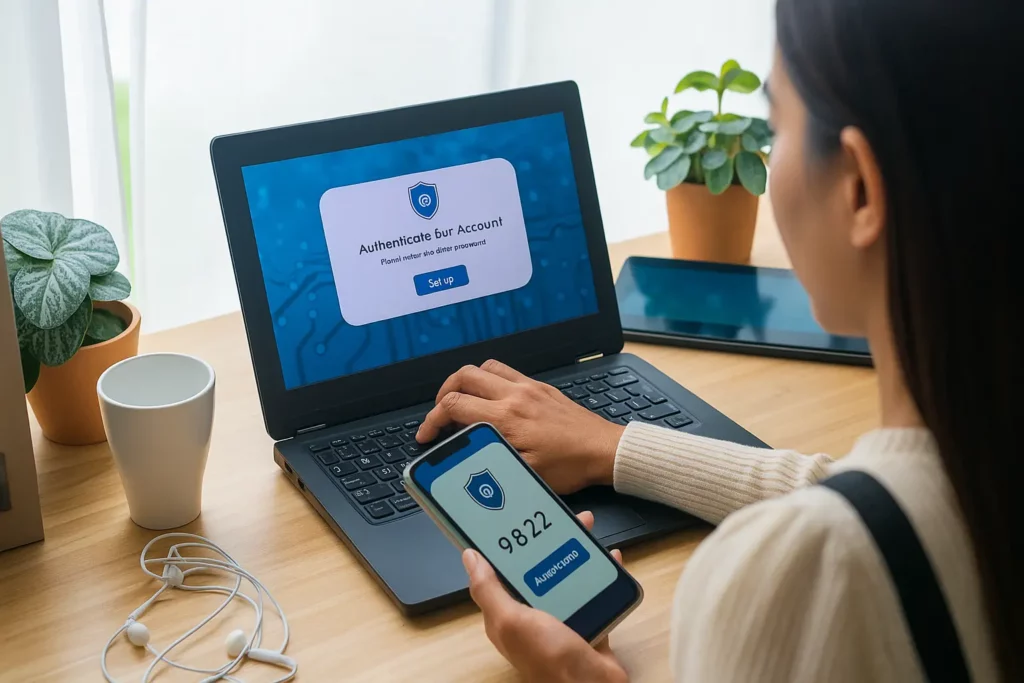
1. Activate Two-Factor Authentication (2FA)
If you do only one thing from this list, make it this. Two-factor authentication adds a second layer of security to your login process. Even if a scammer steals your password, they won’t be able to access your account without the second code, which is sent to your phone. It’s the single most effective way to stop account takeovers.
2. Create an Unbreakable Password
One of the easiest ways for hackers to get in is through weak or reused passwords.
- Make it unique: Never reuse your eBay password on any other website.
- Make it complex: Use a mix of upper and lower-case letters, numbers, and symbols. A good tip is to use a passphrase—a short, memorable sentence—like MyFirstSaleWas!2Chairs.
- Change it regularly: Aim to update your password every 60-90 days.
3. Keep Your Details and Devices Secure
Your account’s security is only as strong as the devices you use to access it.
- Update your contact info: Ensure your recovery email address and phone number are always up-to-date in your eBay settings. This is how eBay will contact you if there’s a real issue.
- Protect your devices: Use a strong password or PIN on your computer and smartphone. Keep your web browser and security software updated.
Beyond Your Password: Securing Your Devices, Privacy, and Network
A strong password for your eBay account security is critical, but it’s only one piece of the puzzle. Scammers and hackers don’t just target your eBay login; they target you. Securing the devices and networks you use to run your business is just as important.
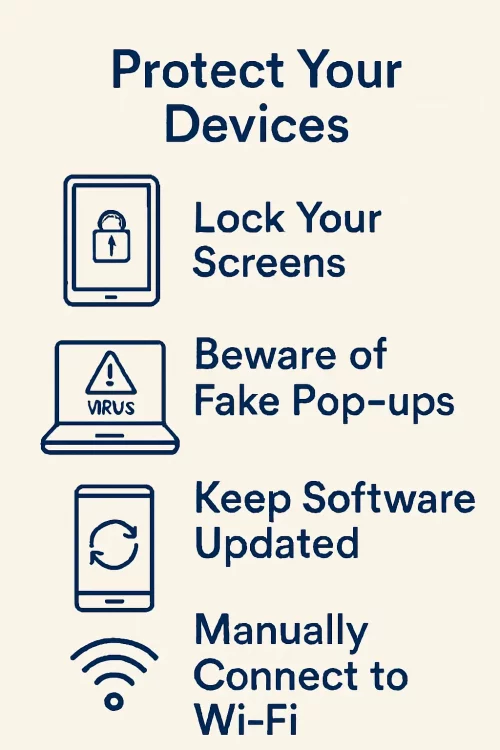
Protect Your Devices
Your computer, tablet, and smartphone are the gateways to your business. If a device is compromised, so is every account you access on it.
- Lock Your Screens: Always use a strong password, PIN, or biometric lock (like a fingerprint) on all your devices. Lock your screen whenever you step away, even at home.
- Beware of Fake Pop-ups: Be very cautious of urgent pop-ups warning that your device is infected with a virus. These are often traps designed to trick you into installing malicious software.
- Keep Software Updated: Regularly install software updates for your operating system (Windows, macOS, Android, iOS) and your web browser. These updates frequently contain critical security patches.
- Manually Connect to Wi-Fi: Set your phone to connect to Wi-Fi networks manually, not automatically. This prevents it from connecting to potentially insecure or malicious public networks without your knowledge.
Protect Your Privacy
The less personal information scammers can find about you online, the harder it is for them to create a convincing ebay phishing scam.
- Don’t Overshare Online: Be mindful of what you post on social media. Details about your life can be used by scammers to build trust or answer security questions.
- Create a Unique eBay User ID: Avoid using your full name or your personal email address as your eBay User ID. A more anonymous ID makes you a less obvious target.
- Never Share Contact Info Outside eBay: If a buyer asks for your email or phone number in eBay Messages, politely decline and state that for both your protection, all communication must stay on the platform.
For business sellers, protecting their identity is harder because some information about companies is publicly available in the UK (from Companies House) and business details appear on platforms like eBay. This public data can make it easier for others to identify the person behind a business.
Protect Your Wireless Network
Many sellers run their business from a home office, making their home Wi-Fi network a critical piece of infrastructure.
- Secure Your Router: Your Wi-Fi router must be protected with a strong, unique password. If it’s unsecured, anyone nearby could potentially access your network and monitor your activity.
- Change Default Settings: When you get a new router, immediately change the default network name (SSID) and administrator password. Hackers might know the default passwords for all major router brands.
- Turn On Encryption: Ensure your router is using WPA2 or WPA3 encryption. This scrambles the data sent over your network, making it unreadable to outsiders.
What Should I Do If My eBay Account Is Hacked?
Discovering your ebay account has been hacked is a stressful experience, but panicking can make things worse. Here is a calm, step-by-step emergency plan to regain control.
Step 1: Regain Control of Your Account
The moment you suspect a breach, your first priority is to lock the hacker out.
If you CAN still log in:
- Go immediately to your account settings and change your password. Make it something brand new and very strong.
- Enable Two-Factor Authentication (2FA) if you haven’t already. This will prevent the hacker from getting back in, even if they try again.
If you CANNOT log in:
- This means the hacker has likely changed your password. Do not waste time.
- Go directly to eBay’s official page to get help with a hacked account .
- Follow their on-screen instructions to begin the recovery process. You will likely need to verify your identity through your email or phone number on file.
Step 2: Conduct a Full Security Audit
Once you have access, you need to assess the damage and revert any unauthorized changes.
- Review Personal & Financial Information: Carefully check your contact details, delivery addresses, and linked payment methods (bank accounts, credit cards). Hackers often add their own addresses to divert purchases. Remove anything you don’t recognize.
- Check Account Activity: Look at your active listings, bids, and recently sold items. A common tactic for hackers is to list high-value fake items (like phones or laptops) to defraud buyers under your good name.
- Contact eBay Customer Support: Report any fraudulent listings or purchases immediately so they can be removed and investigated. This protects other users and helps clear your name.
Step 3: Secure Your Wider Digital Footprint
A hacked eBay account can be a sign of a larger problem.
- Change Your Email Password: Your email is the master key to all your online accounts. Secure it with a new, unique password.
- Contact Your Bank: If your financial details were linked to the account, inform your bank or credit card company of the potential breach and monitor your statements closely.
Step 4: Take Action in the Real World
After you’ve secured your digital accounts, there are a few final real-world steps to take to protect yourself fully.
- Contact Your Financial Institutions: Immediately inform your bank and any credit card companies linked to your eBay account about the potential breach. They can place a fraud alert on your accounts and monitor for suspicious activity.
- Consider Filing a Police Report: For a serious account takeover, especially if you have lost money or if the hacker has used your account to commit fraud, filing a report with Action Fraud (the UK’s national reporting centre for fraud and cybercrime) creates an official record of the incident. This can be helpful for insurance or banking disputes later on.
What Tools and Resources Can Help Me Stay Safe?
Beyond your own vigilance, you can use specific tools and official resources to create a fortress around your online business.
Recommended Security Software
- Antivirus Software: A reliable antivirus program (like Norton, McAfee, or Bitdefender) is your first line of defence against malware and keyloggers that could steal your passwords from your computer.
- Password Managers: I can’t recommend these enough. A password manager (like NordPass, 1Password, or Bitwarden) generates and securely stores unique, complex passwords for every site you use. You only have to remember one master password. This single-handedly solves the problem of password reuse.
Utilizing eBay’s Security Features
eBay provides its own tools to help you. It’s a good idea to familiarize yourself with the security center on eBay . Routinely check your “Active Sessions” in your account settings to see all the devices currently logged in. If you see one you don’t recognize, you can force it to log out.
Where to Find Official eBay Help
When in doubt, always go to the source. Scammers create fake help pages, so bookmark these official links:
- Main Security Hub: For general advice on protecting your account .
- Hacked Account Support: The direct link for when you’re in an emergency and need help with a hacked account .
Conclusion
Protecting your eBay account isn’t a one-time task; it’s an ongoing commitment to being vigilant. By understanding the common ebay scams, using strong passwords, enabling 2FA, and knowing exactly what to do in an emergency, you build a resilient business. Treat your account security with the same importance as your inventory management or customer service. A few minutes spent on prevention today protects the business you’ve worked so hard to build for years to come. Stay informed, stay secure, and keep selling.
FAQs
Is it safe to give my phone number to a buyer on eBay?
No. You should keep all communication and transactions within eBay’s platform. Scammers ask for your number to send you fake payment texts or to try and conduct the sale “off-platform,” where you have no seller protection.
Will eBay ever call me to ask for my password?
Absolutely not. eBay will never call, text, or email you to ask for your password or financial details. Anyone who does is a scammer.
How often should I really change my eBay password?
A good rule of thumb is every 60-90 days. More importantly, ensure it is a strong password that you do not use on any other website.
Can I lose money if my eBay account is hacked?
Yes. Hackers can use your account to purchase items, or they can access linked payment methods. They can also ruin your seller reputation by creating fake listings, leading to lost future sales. This is why acting fast is so critical.